
Reading the report
What the verdict means, the difference between “Will break” and “Deprecation notice”, and how to share the report.
The verdict
The report starts with one sentence. There are three possible answers:
| Verdict | What it means |
|---|---|
| Safe to upgrade to PHP 8.5: nothing active will break | Every file of your active plugins and themes was checked, and nothing will break. There may still be deprecation notices (see below). |
| Not ready yet: … needs attention before upgrading to PHP 8.5 | At least one active plugin or theme contains code that will break. Follow the list under What to do first. |
| Nothing found that will break on PHP 8.5 (… could not be checked) | Nothing was found, but some active files could not be checked, so CompatNav cannot say “safe”. See Files that could not be checked. |
(The version number is the one you chose.)
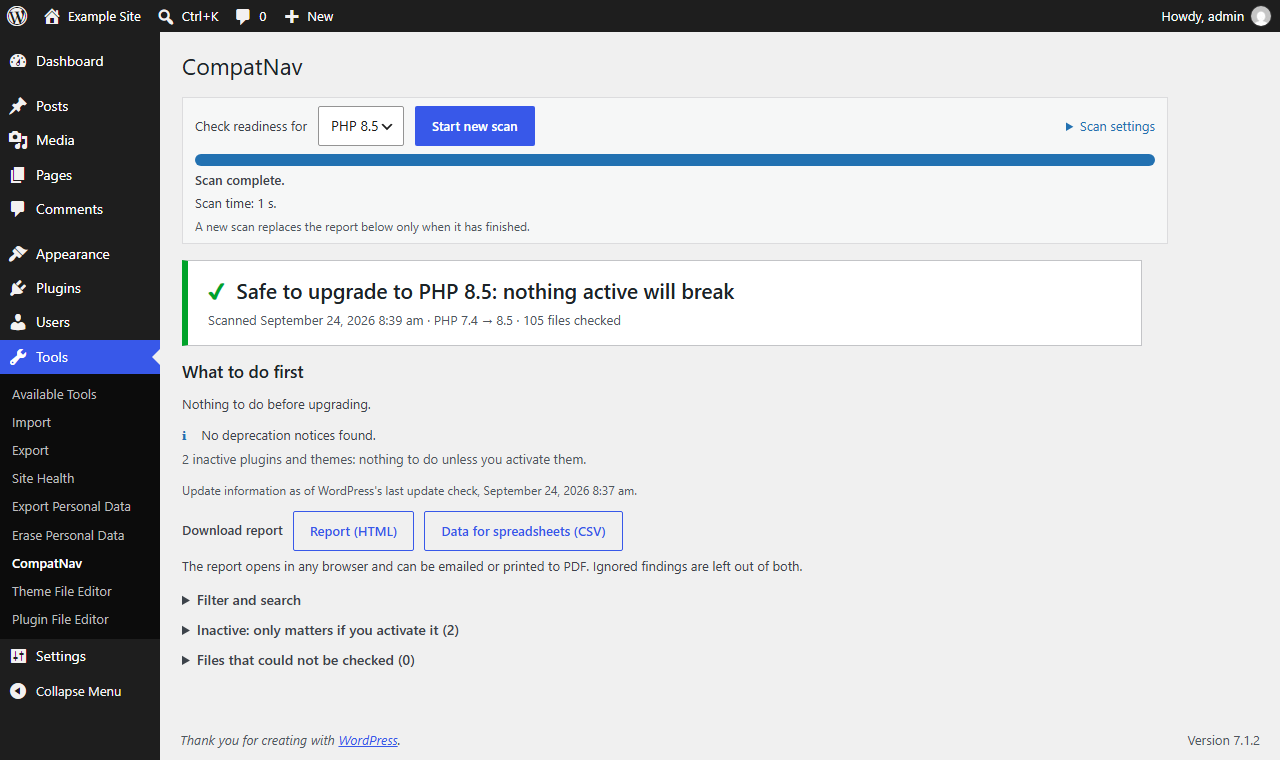
The verdict when nothing active will break.
What to do first
When something needs attention, the report shows a short, numbered list of actions for your active plugins and themes, for example “Update … to version …, then scan it again” or “Contact the developer of … and send them this report”. Work through it from the top.
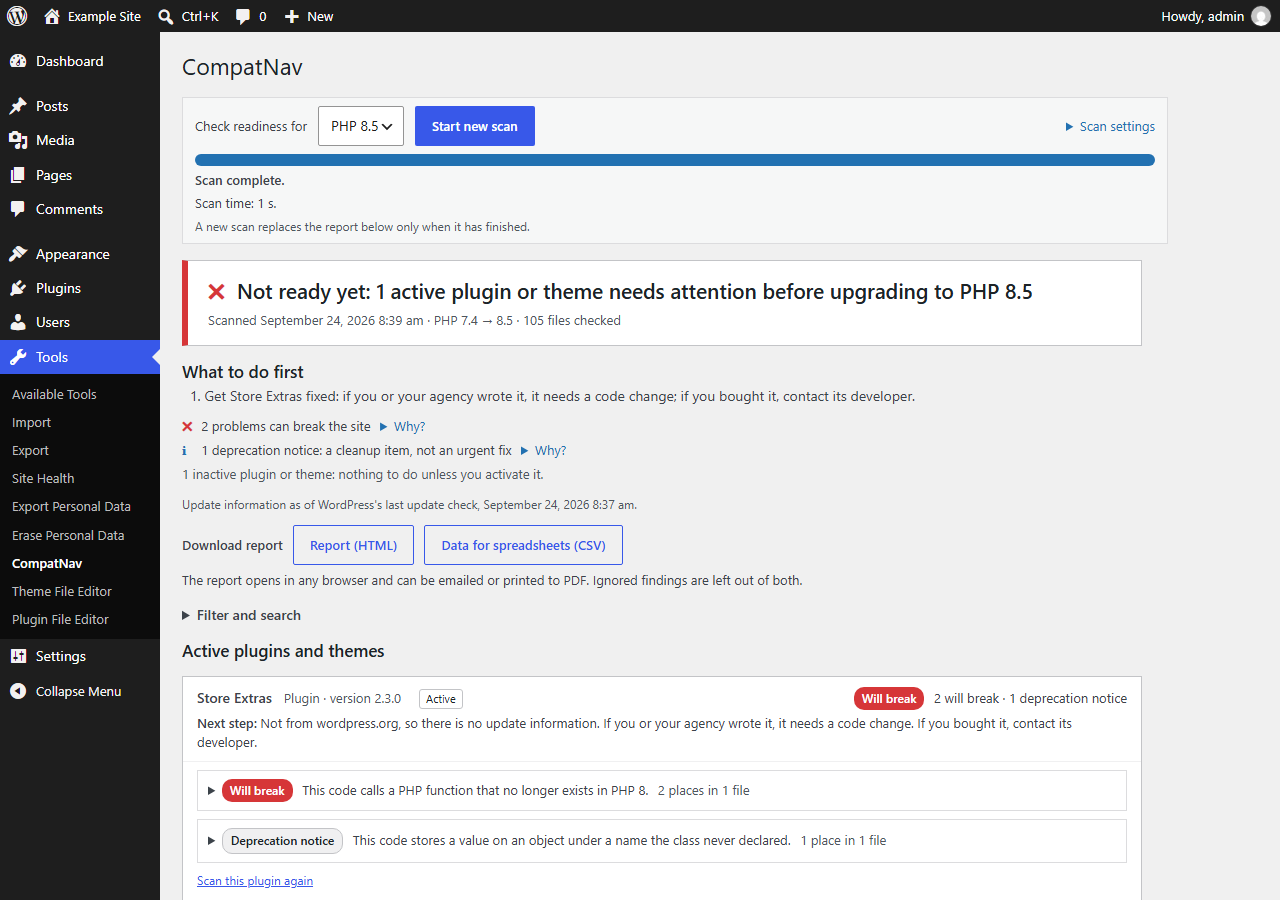
The verdict when something needs attention, with the “What to do first” list.
What each kind of action means is explained in Not ready yet: what to do.
Two kinds of findings
| Label | What it means | Urgent? |
|---|---|---|
| Will break | The new PHP version stops this code with an error. A page, a feature or the whole site can stop working. | Yes: fix it before you upgrade. |
| Deprecation notice | The code keeps working, but PHP writes a notice to the error log. | No: a cleanup item, not an urgent fix. |
Deprecation notices don’t break your site. Developers usually handle them in a future update.
Active and inactive plugins and themes
Only active plugins and themes count for the verdict. Inactive ones are listed separately under Inactive plugins and themes: only matter if you activate them. If you don’t need an inactive plugin or theme any more, deleting it is the simplest way to deal with its findings.
One plugin or theme in detail
Click a plugin or theme to open it.
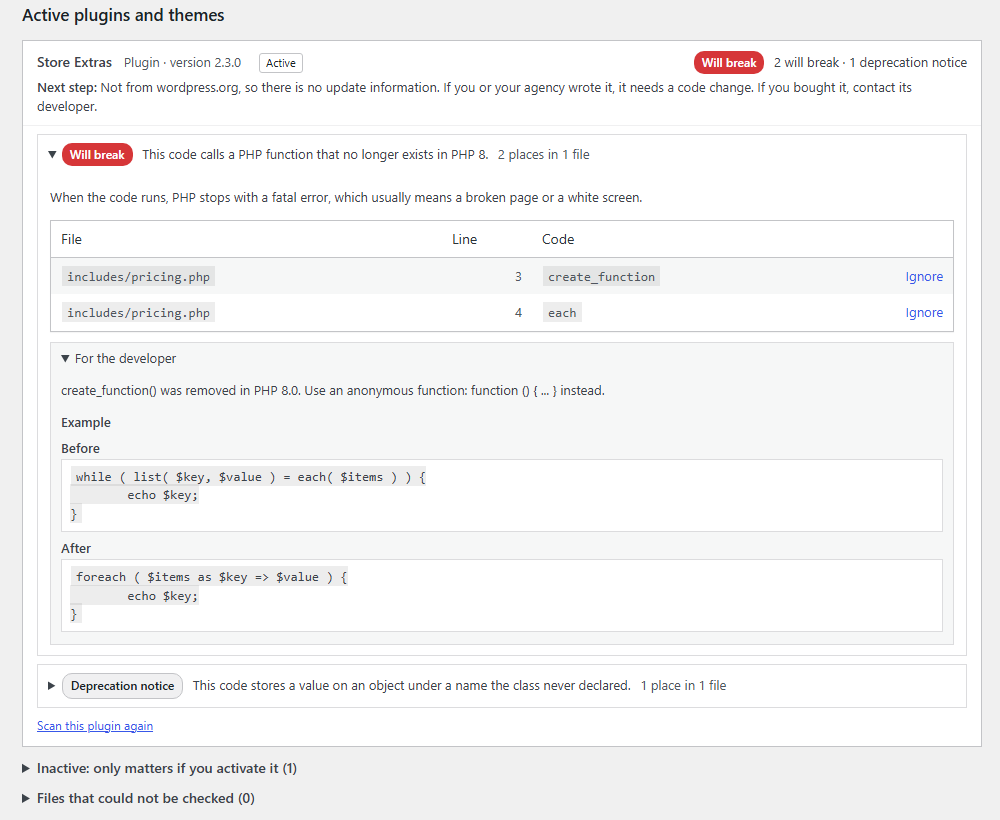
One plugin opened: the recommended next step, each issue in plain words, and the details for developers.
- Next step: what to do for this plugin or theme. It depends on whether an update is available, whether you already have the latest version, and whether the code comes from wordpress.org or was written for your site.
- The issues: each one starts with a plain explanation and shows how many places in how many files are affected. Why? opens more explanation.
- For the developer: the file, the line, the technical message and a before/after example. You don’t need to understand this part: send it to whoever maintains the code.
- likely, not certain: CompatNav is fairly sure, but not completely. The developer can confirm.
- bundled library: code the plugin’s developer included from another project. The plugin’s developer is still the one to update it.
Ignoring a finding
Checked a finding and decided it doesn’t matter? Click Ignore. Ignored findings stay ignored in future scans, until the code on that line changes. To bring one back, use Show ignored findings, then Restore.
Scanning one plugin again
After updating a plugin or theme, click Scan this plugin again (or Scan this theme again) in its section. You don’t need to scan the whole site.
Filter and search
Under Filter and search you can show Will break only or Deprecation notices only, pick one plugin or theme, or search by plugin name, file name or issue. Clear filters shows everything again.
Downloading and sharing the report
Under Download report:
- Report (HTML): one file that opens in any browser and can be emailed or printed to PDF.
- Data for spreadsheets (CSV): every finding as a row, easy to sort and filter.
Ignored findings are left out of both.
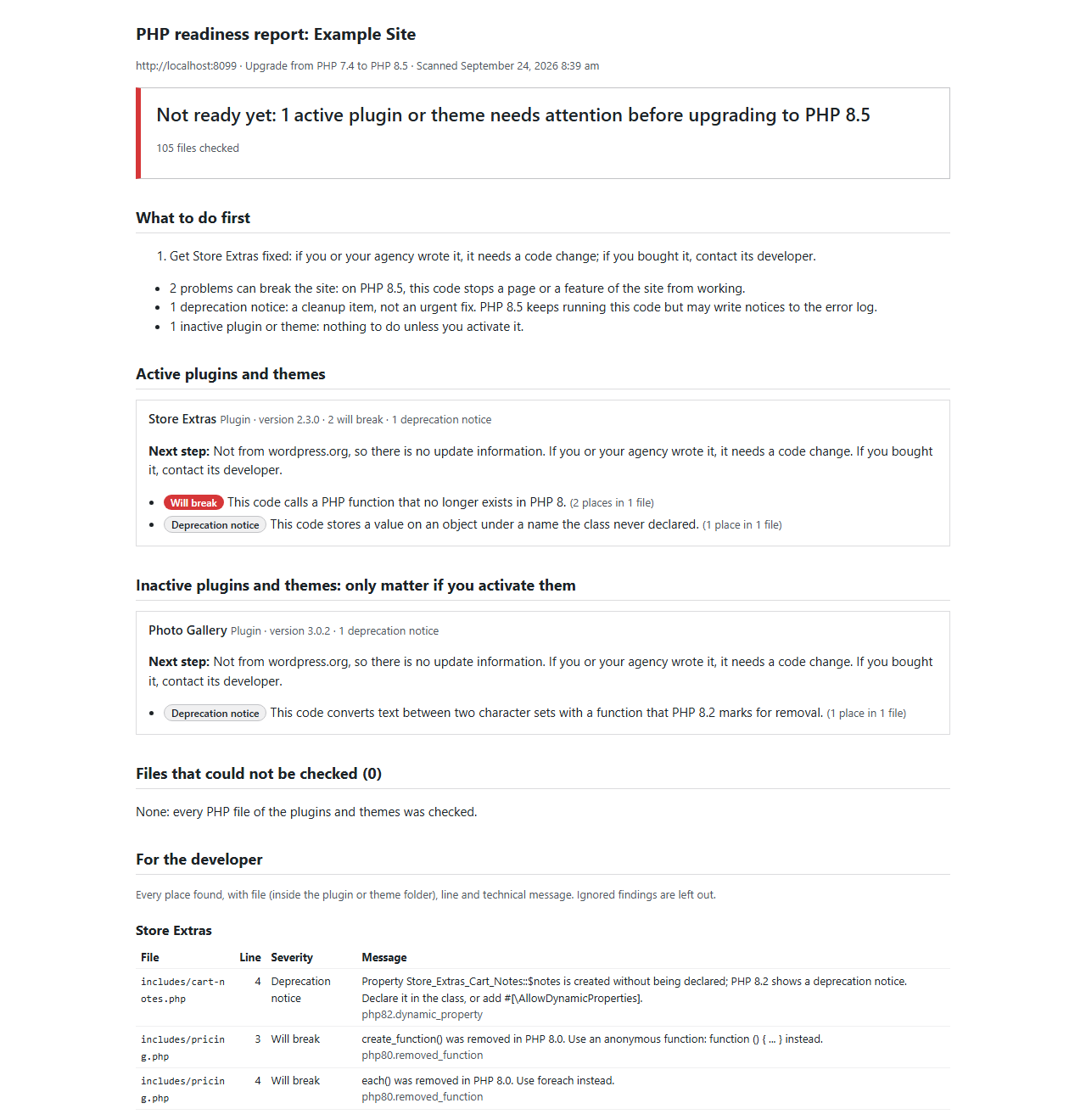
The downloadable HTML report.